Monday
Monday: The workbench and the shelf
A neighbor hurries into the Fix-It Bay with a tablet. "My drawing vanished!" she says. "The battery ran out, and the picture was gone." Rocket frowns. "Let's find out where it went."
Raven studies the blank screen. "What do you notice? Did the neighbor tap save?" The neighbor shakes her head.
Nova hovers near, lights soft. "Would you like a hint? A computer has two places to keep things. Only one of them remembers when the power goes off."
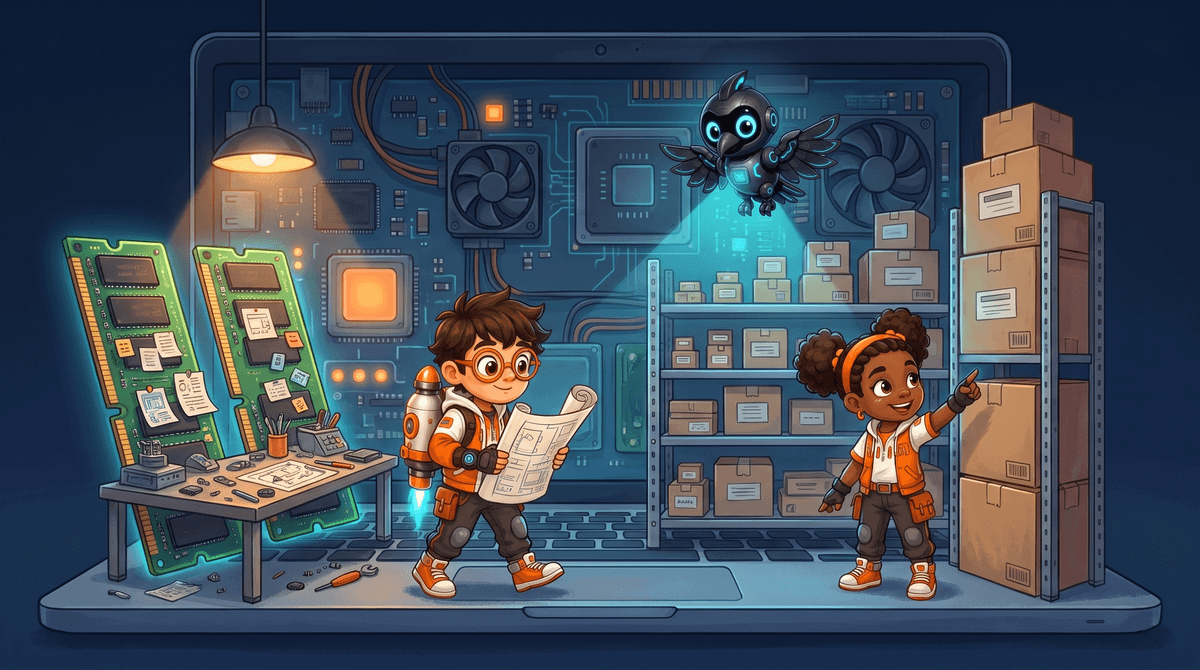
Two places to keep things
A computer keeps information in two places. The first place is memory. The second place is storage.
Memory is like a workbench. The work you are doing right now sits on it. The processor can reach it very fast.
Storage is like a shelf. Files wait there until you need them. The shelf keeps everything, even when the power is off.
| Memory (the workbench) | Storage (the shelf) | |
|---|---|---|
| What it holds | Work in progress | Saved files |
| Speed | Very fast | Slower |
| Power off | Everything is lost | Everything stays |
| Another name | RAM | Drive or disk |
- Memory is also called RAM. The letters stand for random access memory.
- Random access means the processor can grab any spot right away.
- Storage is also called a drive or a disk.
- Saving copies your work from the workbench to the shelf.
- Read the question.
- Tap your answer.
| Statement | True or false? |
|---|---|
| Memory keeps your work when the power goes off. | ? |
| Storage keeps files when the power goes off. | ? |
| RAM is another name for memory. | ? |
| Saving moves work from storage to memory. | ? |
What happened to the drawing?
The neighbor drew her picture in the drawing app. The whole picture sat in memory, on the workbench.
Then the battery ran out. Memory needs power to hold anything. The workbench was swept clean.
A tap on save would have copied the picture to storage. The shelf would have kept it.
- ?The picture is copied to storage
- ?Draw the picture in memory
- ?Turn the tablet off
- ?Open the drawing app
- ?Tap save
Put one toy on the desk and one toy in the drawer.
Say which toy is memory and which toy is storage.
Great thinking, Crew Technician! You found where the drawing went. Tomorrow you will look closer at the workbench, and why a crowded one gets slow.